Managing a wine cellar is a passion that, over time, becomes a logistical challenge. Between vintage traceability, maturity monitoring, and simple physical organization, the risk of error is real. With the VinoCellar application, we have integrated cutting-edge technology to turn this chore into an immediate pleasure: AI-powered label scanning.
1. The AI-Assisted Scanning Revolution
The heart of the VinoCellar experience lies in our image recognition engine's ability to interpret even the most complex labels. Unlike basic systems that struggle as soon as a label is slightly damaged or dusty, our AI analyzes shapes, fonts, and logos to identify the exact vintage.
VinoCellar technology does more than just identify the name of the wine. It extracts crucial data such as the vintage, appellation, and producer in milliseconds, guaranteeing automatic input without any human error. It is the essential tool for those who own more than a hundred references.
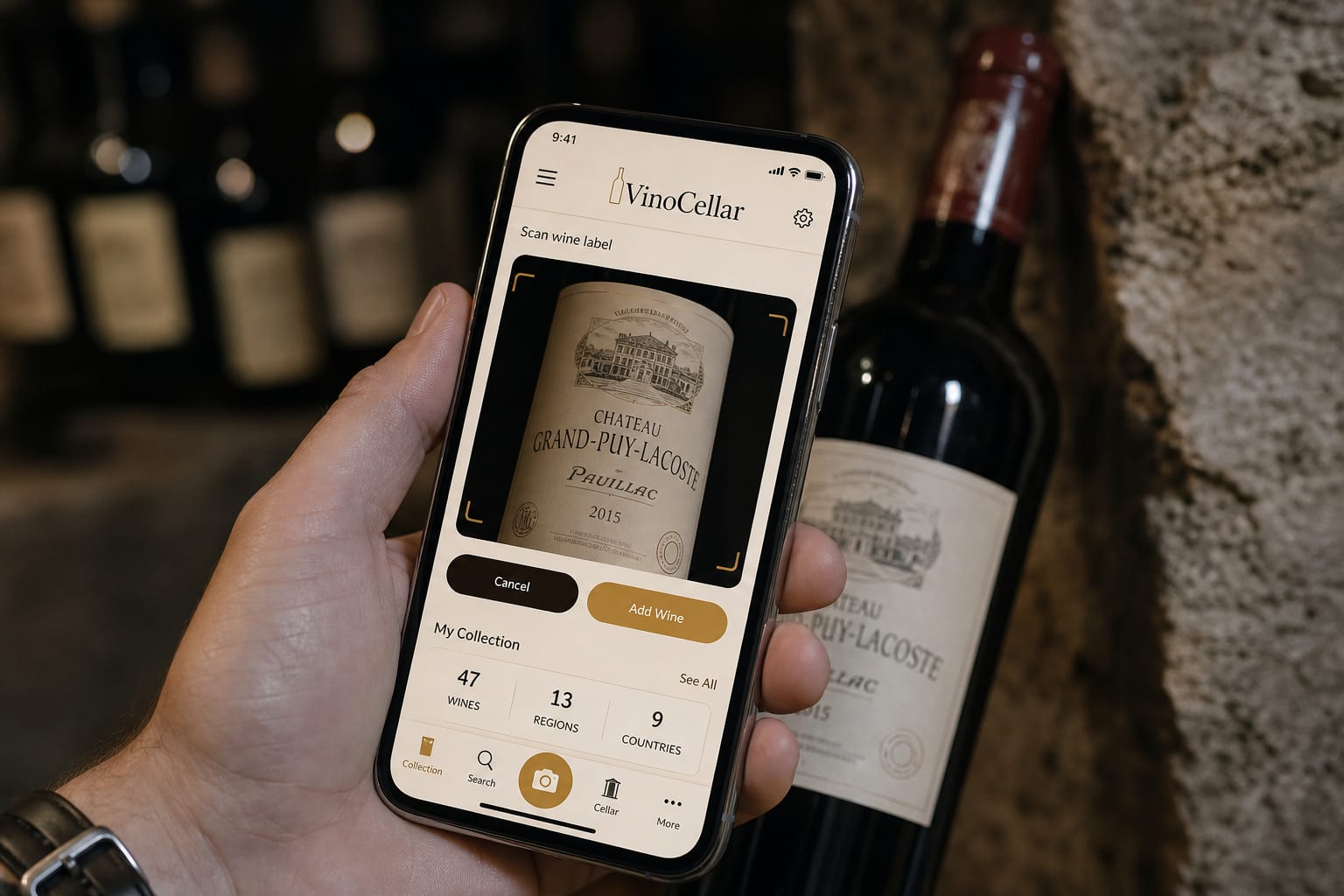
How Intelligent Recognition Works
When you point your smartphone at a label, the application focuses on high-contrast areas. The algorithm then cross-references this information with our proprietary database, enriched by millions of global references. This precision is the pillar of your digital inventory.
2. Step-by-Step Guide for a Perfect Scan
To make the most of your management tool, a few best practices should be adopted. Lighting and stability are your best allies. Here is how to ensure a 100% success rate during your inventory sessions.
- Preparation: Ensure the label is clearly visible. If the bottle has been stored in a damp cellar, wipe the glass with a dry cloth to avoid any glare.
- Framing: Place the label in the center of the viewfinder. Do not try to zoom in too much; let the AI detect the paper contours.
- Stability: Keep the phone steady for two seconds. A light press on the screen helps force the focus onto the main text.
- Validation: Once the wine is identified, verify that the vintage matches your bottle. Confirm, and that's it: the wine joins your virtual cellar with all its metadata.
3. Frequent Errors to Avoid
Even with high-performance AI, certain situations can hinder recognition. The most common mistake is ignoring the condition of the label. A torn label, although we can often guess its origin, can lead to confusion between two vintages from the same estate.
Another common error is scanning in an environment that is too dark. If your cellar is located in a room without direct lighting, use the torch function of the VinoCellar app, designed to minimize glare on the glass while uniformly illuminating the label.
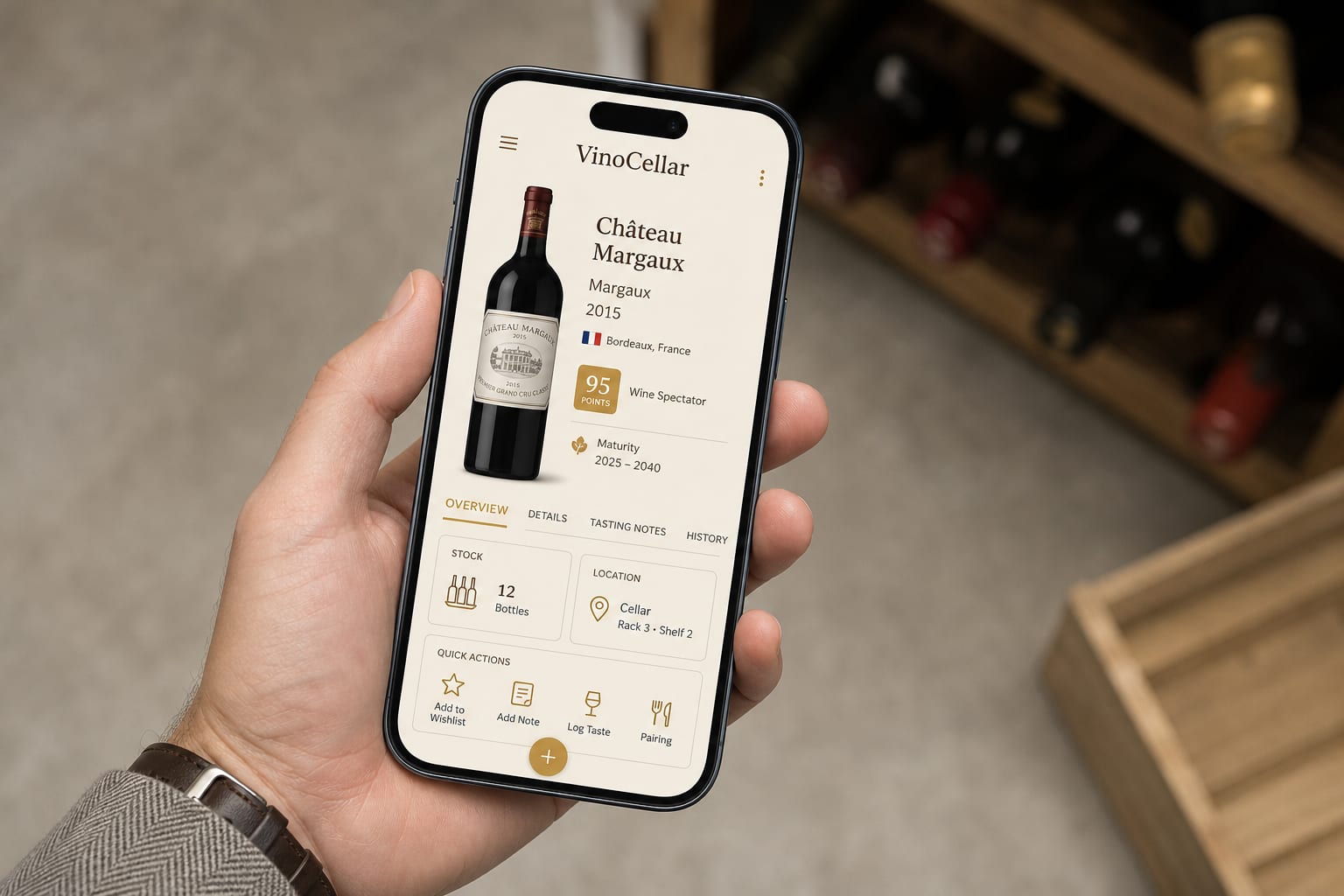
Increased Precision
The fluid interface instantly displays the details of the identified wine.
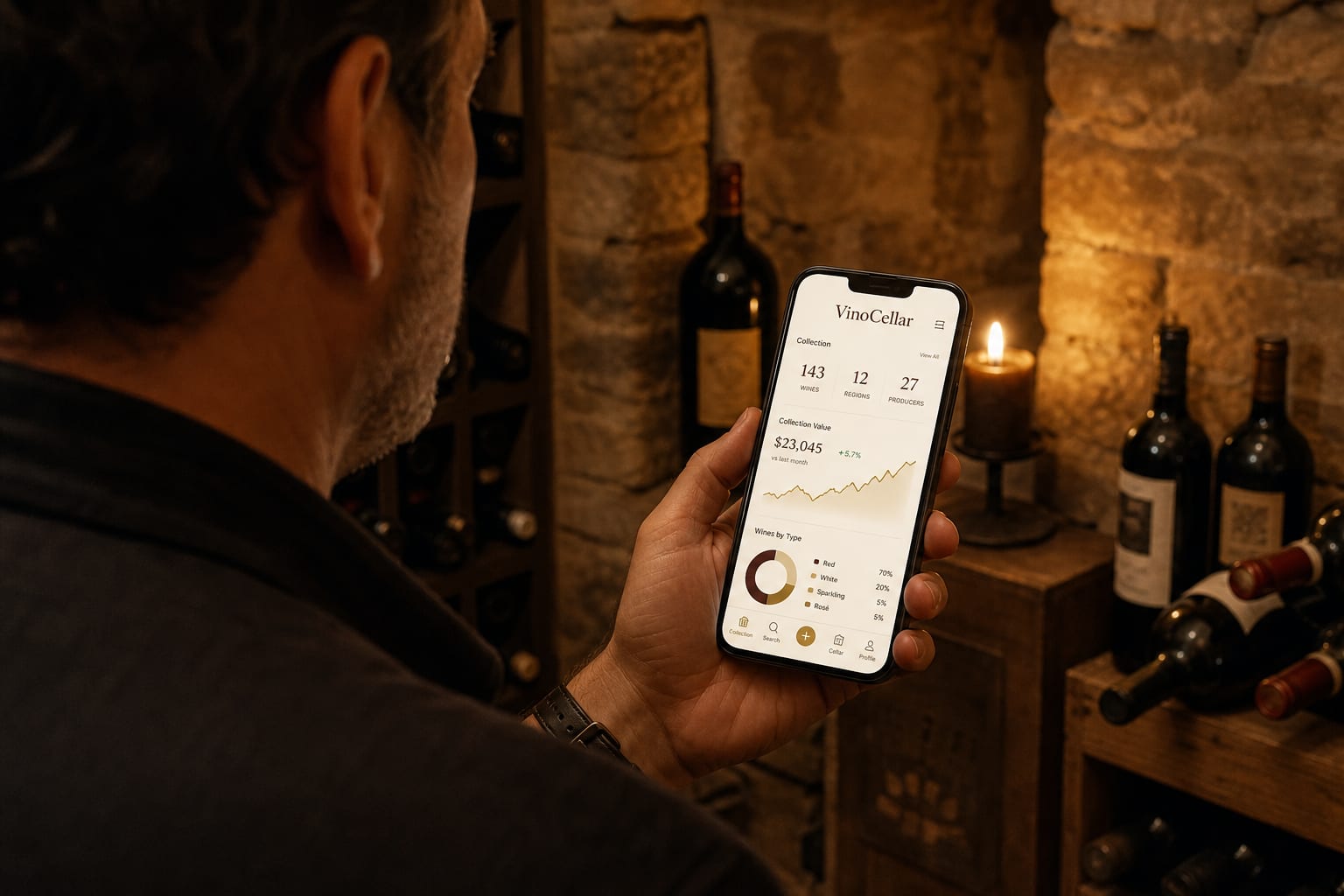
Nomadic Management
View your cellar statistics directly from your phone.
4. Why AI Scanning Changes Your Cellar Management
The added value of AI scanning does not just lie in saving time. The reliability of the information is paramount here. By eliminating manual entry, you remove the risk of reversing a vintage or misspelling a lesser-known winery. With VinoCellar, your inventory becomes an absolute source of truth.
Imagine yourself in front of your rack, hesitating between two bottles for your next dinner. In the blink of an eye, you scan the bottle and instantly access its tasting sheet, food-pairing recommendations from our experts, and its aging potential. It is no longer just stock management; it is constant decision support.
Finally, never forget that your cellar is a living entity. Entries and exits must be scrupulously noted. Rapid scanning allows you to keep this inventory up to date in real-time. Each opened bottle is instantly deducted, giving you a clear view of your available reserves for your next special occasions.



Comments (0)